Same here, all screens are black atm. I thought this is a Linux thing and I never tried to fix it: In the past I saw only text on screens, players images was black all the time. 
Also Problems with colored Vehicle if you place it and then jump to see in cockpit and outside again vehicle turn to no color, and if pick up and place it then it shows color again
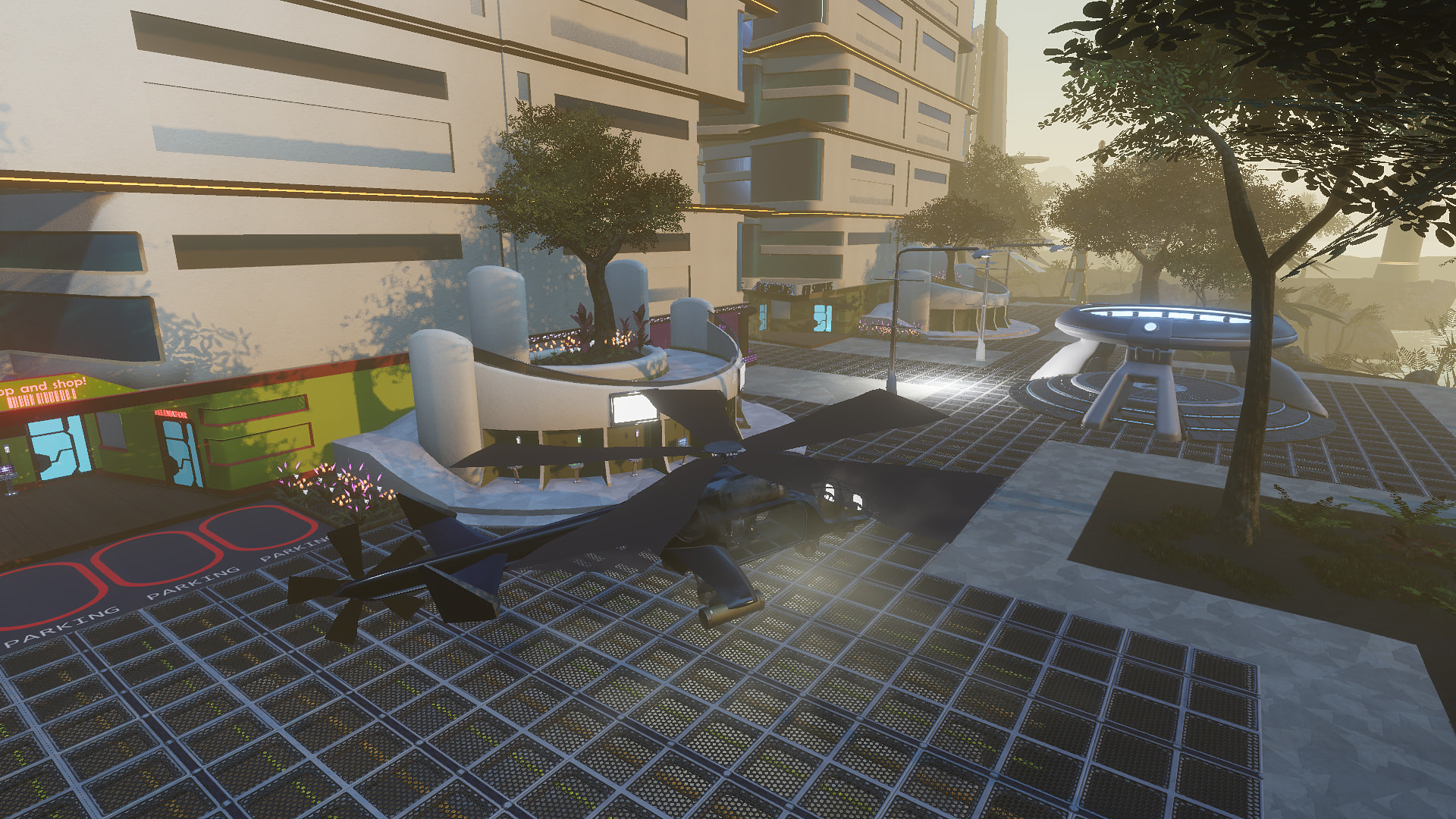
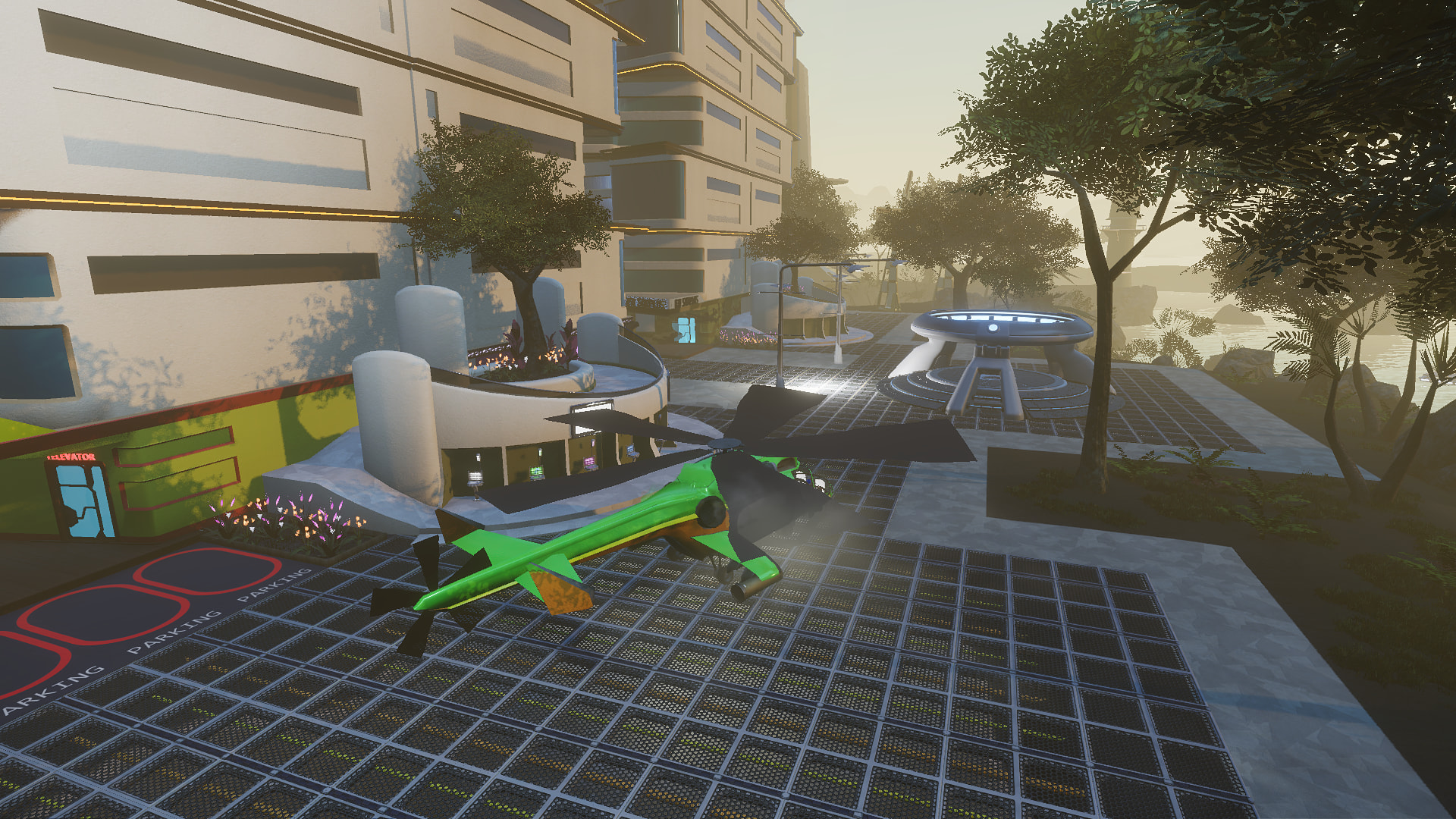

Not sure if these are mentioned, but I got a few things, that should be adjusted 
Team members are no longer yellow on the map, but green. Which means you can’t tell the difference or find your team members in a larger crowd. Team members should remain yellow.
After revival, all sound disappears.
Every count down in game is now turning counter clock wise instead of the usual clock wise. Why is that? It’s very odd and somehow confusing …
Health ‘bubble’ is showing your amount of health instead of 100% left. 100% left is easier to read. I personally liked the long healt bare better, but hey, that might just be me
When using e.g. fire chip on a mob, the icon is shown far up and to the right from the mobs healtbar. It should show next to it or, ideally below it to the right or left side.
Talking about the mob’s healthbar, it shows way up and away from the mob. It’s pretty annoying even on a big screen when you fight it up close, you have to either zoom out a lot of look upwards to be able to see it.
It seems that some mob areas are bugged and will keep the mob behind an invisible wall. That means you’re not able to tag the mob unless you lure it away from the area. I noticed this especially on pop-dragons on RT.
Look into the avatar creation. I’m not sure it works properly right now. I redid my avatar to be a lot taller - I can tell that the adjustments where made by the look of the actual avatar, but instead of being taller, it just resized my avatar inside it’s current size lol … Not that I mind being a bit slimmer … but something seems off 
I want to kill it but today gonna bring HDNA and do it in the underworld. I did however scout around while dead and didn’t see it but found a second hole where I suspect it dropped.
A the health Bubble can be changed to Healt Bar when press L and then change to horizontal 
1 Like
Fantastic! Thank you 
1 Like
The “away” tag on an avatar header is appearing incorrectly, the less-than and greater-than symbols are showing as ampersand codes
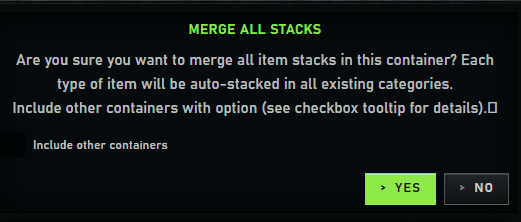
28. Minor visual bug: When “Merge All” and checking the check box “Include other containers” the box become invisible/black.
At least the map is better now. The giant squares for teleporters are still not great.
The radar now has lost functionality, it didn’t need to be another map. or need to change at all.
The ranging circles are gone, which were easy to take a quick glance and tell if you were within aggro range of mobs and where they were in relation to you. Now its too dark, zoom levels are too close or too far, it resets and changes with the map constantly. It really didn’t need to be changed so drastically.
Windows and other things are improved, so that’s a plus.
Also missing the ability to type numbers when splitting stacks, and large stacks no longer have the short versions ie. 5.2k etc
1 Like
Oh I forgot a very important thing. I stopped using the TP chip. I can’t for Lootius figure out how to make it work anymore when I put in eg my death location. Before you had to just touch the map and you would fly away (which was quite frustrating too) - but now I can’t tp at all 
Whenever something works, something else tends not to. Is this a law of nature or a bug? Case in point, the radar option to turn the compass now spins the letters properly as well, but now mob dots have become too large.
The position of mining finds on radar is now correct, but it can take many seconds for the point to show up on the map, by which time I may have orientated myself towards a find already from the find info window. It’s useful for a rarish double find though, where the mining window can only focus on one before the window closes.
Biggest points for me still are:
- stupidly huge icon sizing in inventory etc.
- mission progress bars now invisible, so level of completion is now unknown
- the waste of time getting texts when opening windows - just open the windows pls.
- the style/font of shop item prices is hard to read, especially what the mu% is.
- the size of our basic info and main task bar is annoying. We should be able to change sizes of almost any visuals. I understand it’s work in progress, but still…
- crafting in individual clicks means we get the results menu EVERY time. Everything else is then locked. If we just want one success this is annoying.
- Having so little info on mouseover now is also a pain, as is menus we have to scroll just for one or two extra lines we wish to see. Please re-add mouseover infos and polish up so many windows.
Plus, is there no way to turn off loot lines in our system chat? I only sometimes want to see individual loot results this way, not ALL the time. I’d also like to turn off other notifications in the systems tab, such as repairs/heals, or can we get certain info such as skill gains in a separate window now? [partially found out how to create new chats and push infos to them, but it’s not terribly clear]
Since yesterday’s game Update, I’ve been experiencing micro-stuttering. It’s especially noticeable while flying, but also while running. Game graphics set to Very High settings - both before and after VU.