Entropia Universe 19.10.5 Release Notes

New Features

  • You can now choose which graphics processor the game uses in the options.

  • The radar can now show your frame rate instead of ping. Right-click under the planet name to switch, and the game remembers your choice.

  • The Auction Sell window now opens as its own movable panel, so you can keep browsing while you prepare items to sell.

  • You can now compare items you are about to sell against the full list of current offers and orders without losing your draft prices.

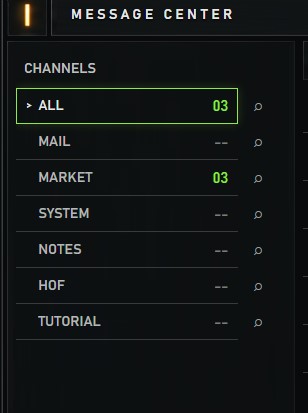
  • You can now select and copy text and game links from received messages in the Message Center.

Changes

  • Adding items to the Auction sell queue is faster. Left-click an item in compact view to add it, or use the green plus button.

  • Listing several items on the Auction in a row is now faster.

  • The mining finder is easier to read. It has a solid background, the flickering scanner effects are gone, and it can be resized and remembers its size.

  • Windows have a cleaner, consistent frame style, and the distracting opening animations and map sweep effects are gone.

  • Loot notifications show up immediately again, so crafting results are always current. How many fit on screen depends on your UI scale.

  • Typing in chat and receiving bursts of messages is smoother.

  • Moving several items between containers at once is faster.

  • The health bar of your locked target stays visible at the top of the screen when the creature’s head is above your view.

  • Action bar items now react to mouse clicks the same way they react to key presses, including held actions.

  • The map now shows land areas at every zoom level.

  • The map stops following your avatar when you drag it manually.

  • The exchange company detail window now remembers its own size.

  • Hovering over items in containers now shows the full item tooltip.

Fixes

  • Fixed a crash when logging out to the menu. (Two separate causes were fixed.)

  • Fixed some graphics cards being wrongly reported as unsupported at startup.

  • Fixed the character sheet showing total armour protection instead of the protection on the selected body part. Damaged armour now shows its real values.

  • Fixed small markup percentages being lost on stacks of very low value when listing on the Auction.

  • Fixed Auction messages not showing the quantity sold.

  • Fixed messages sometimes reappearing after being deleted in the Message Center.

  • Fixed the Message Center showing an empty page after you delete the last messages on a page.

  • Fixed messages showing as unread again after being marked as read.

  • Fixed shopkeepers showing wrong item artwork and wrong item sizes in shop stock.

  • Fixed condition bars showing on items that have no condition, such as deeds and blueprints.

  • Fixed the crafting export missing attempts or listing them out of order.

  • Fixed the power bar sometimes not showing on the first use of a power after equipping it.

  • Fixed waypoint markers moving out of place when the UI scale changes.

  • Fixed error messages appearing while typing /wp and /waypoint commands.

  • Fixed chat commands not accepting full three-part avatar names.

  • Fixed /listignored so names are clickable again and can be unignored from the context menu.

  • Fixed the tilde character (~) disappearing from global messages.

  • Fixed colours missing from item tooltips.

  • Fixed the profession progress bar spilling outside its column.

  • Fixed missing button click sounds in the Message Center.

  • Fixed the launcher window title not showing some characters correctly.

Originally Posted Here

8 Likes

Everyone wanted the mining finder radar to be smaller so you made it adjustable so we can only make it bigger - do you actually listen to us???

1 Like

it remains to wait for a refund or delete

Good to see many improvements and fixes!

Will there be more UI updates?
Do we still reports bugs & improvements?
If yes, will you create dedicated thread?

3 Likes

Good day Departament

When you FIX , mission with Lytarian and Megan - planet side?

I mean when WE RECEIVE skills for free from that mission’s?

ps: has gone almost 1 year from Space minning till now…

Kind Regards

Cristian/Bucharest

1 Like

As long as no new BugThread is open I will just post it here.

#1 - Waypoints created with right click on a UI-Scaled Map (80% in my case) do not create the WP at the clicked location.

Following picture shows:

  1. where I clicked
  2. where it was created
  3. clicking on the visible WP, do not offer the Copy function
  4. clicking at around the position where I clicked in 1. do offer the Copy function

after more tests:

It looks to me that on a scaled UI the position is taken wrong on mouseover/mouseclick on the map as creating the WP with the command /wp or /pos do create it and show it at the right place.

#2 Market Price graph do not follow the mouse at 80% UI Scale

The red arrow shows where my mouse was at about.

Both Bugs already existed before this VU, so it is not caused by todays update.

2 Likes

For me it seems completely unreasonable that crafting should cause my system to overheat and shut down.

Hi, could you please give me a bit more information that I can forward to the dev team?

What is the exact mission name?
When did you receive the mission?

Thank you in advance!

1 Like

lytariun dust - mining surveying mission…

megan - mining ore mission

both on calypso

they are closed/blocked since SPACE MINNING started …so for minners are 0 … since 1 year…

we need skill “received from both missions” at what level ppl was in that moment , to compensate that , i belive

thank you too !

@Nanashana @Ludvig_MindArk @Socrates

Thanks for fixing the movement action icons!! Much appreciated!!!

3 Likes

Message center is missing Shop notifications

1 Like

Customizable storage and inventory size.. was great please make it work!

2 Likes

Bring back list at lowest MU, sell to highest order, arrows on opening bid and buyout when selling stuff on ah

1 Like

If you change Graphic Options and continue playing all inventory icons get messed up.

Also I still think the inventory icons are way too big, especially some of them like the caroot, eye oil and fish.

Also windows opened still don’t seem compact and readable. It would be nice to open the info on a weapon and be able to see most of the stats, instead of having to scroll down and back up etc.

And Waypoints dont work correctly as someone posted above.

Thank you for putting in the effort and fixing stuff but it feels like there’s still way to go and I hope you don’t plan on abandoning UI improvements and move unto something else.

3 Likes

These important ones are missing in the list:

  • Fixed splitting stacks by entering numbers
  • New setting to replace those weird new symbols in radar and map with dots
1 Like

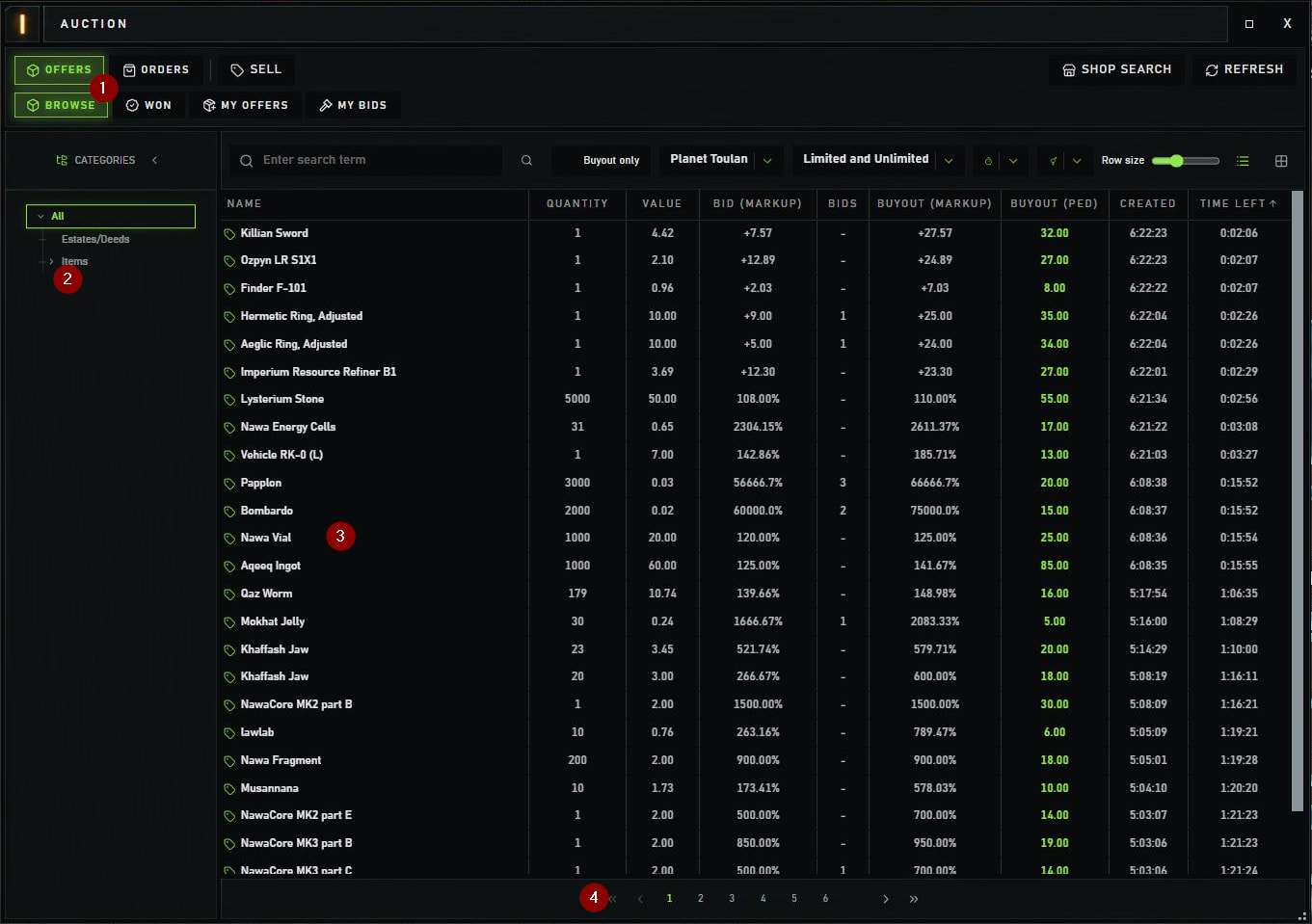
My first use of Auction since the big VU update.
Just for scrolling, not buying or selling yet…

  1. Thanks for the green slections, very needed !
  2. Since 99% of us will open the “Items” folder, maybe to have it auto-open and save us a click ?
  3. I’m old and everything written bight white on black hurts my eyes. Possible to use the same grey than on the left ?
  4. Buttons “<<” and “>>” go to first / last pages : didn’t they use to move -10/+10 pages ? Anyway we now have direct access to 1st and last page numbers, so they are not needed.

Thanks !

3 Likes

There was a very cool button which filled price of an item and matched lowest on market. Was very handy. Now it is gone…

gren and yellow hurts my eyes. white is very good mate. Maybe everyone to be able to choose his colour ? But usualy white on black screen is a normal colour.

Sure, everybody has its own preference.

Wasn’t it yellow on brown before? I had to problem on that pattern. Did you?

Need to click “market” first to make it and “sell to order” appear. For whatever AI reason