UI Update: Where We Are and What Comes Next

We want to address the recent UI update, the issues some players have experienced, and the plan behind these changes.

The release reached you with more bugs and stability problems than we intended. Parts of it were rushed and would have benefited from more testing across different systems. We understand the frustration this caused, and we’re sorry for the disruption to your experience.

Since release, the team has been working hard to address your feedback, with multiple fixes and improvements already deployed. That work continues, including improvements to memory usage, rendering performance, and the reliability of the UI.

There is a broader purpose behind this work. Alongside higher-resolution character assets, we are introducing scalable interfaces, higher-resolution UI textures, and rendering paths that make greater use of the GPU. These changes support the current game while gradually introducing the kinds of demands players can expect with Unreal Engine.

Rolling out these improvements in stages gives us an opportunity to identify compatibility issues, understand performance across a wide range of systems, and use those findings to guide optimization of both clients ahead of the Unreal release. Our aim is to make that transition as smooth as possible, with fewer surprises when it arrives.

GPU-accelerated UI rendering is one part of this approach. It reduces CPU overhead by allowing the graphics card to handle more interface rendering work, potentially improving frame rates as UI resolution and complexity increase. Higher GPU usage and fan activity can be normal, but increased utilization should deliver a better experience. Stuttering, excessive memory use, and instability are problems for us to investigate - not something we simply attribute to players’ hardware.

Providing options matters too. In the upcoming patch, GPU-accelerated UI rendering will also be switchable from the ClientLoader and disabled in Safe Mode. UI scaling is planned for this week, giving players more control over the size and readability of their interface.

We also encourage players to revisit their graphics settings as these updates arrive. Trying different quality settings and comparing GPU-accelerated UI rendering on and off can help you find the best balance for your system. Check that you’re using a current, supported graphics driver from your hardware manufacturer and, on systems with both integrated and dedicated graphics, that Windows is assigning the game to your dedicated GPU. These checks can help you get more from your hardware while we continue improving the client. If problems persist, please report them with your system specifications and settings so we can investigate.

This direction does not excuse the problems with the initial release. We hear your concerns, and we are applying those lessons to both the fixes underway and future releases.

Thank you for your patience and your feedback. Our focus is on making today’s experience smoother and more reliable while doing the groundwork for the best Unreal Engine transition we can deliver.

The Entropia Universe Development Team

Originally Posted Here

13 Likes

Exactly, currently for me “GPU-accelerated UI rendering” = OFF greatly improves my gaming experience, (while if I set “GPU-accelerated UI rendering” = on , suddenly the map and other game sections become terribly laggy).

My gfx card is a Nvidia 4060, and has always handled the game extremely well (except if i set “GPU-accelerated UI rendering” = on , which creates troubles, as I said above).

Paul

2 Likes

If it can help, I tested both options last weekend.

PC : i7-6700k, 32 GB RAM and a GTX 1080 (8 GB), displaying on a 2560x1440 screen @ 60 Hz.
All settings to Medium except Post-Processing set to Safe Mode (to avoid the fog).

First day with “GPU Rendering” OFF (-> CPU working):

  • Both relaod bar and radars were smooth
  • The whole UI was blinking / flickering every X seconds, which was annoying
  • CPU around 50%, GPU around 30%, about 3 GB of VRAM used

Second day with “GPU Rendering” ON (-> GPU working):

  • UI was no longer blinking !
  • CPU around 30% (-20), GPU around 40% (+10), about 5 GB of VRAM used (+2)
  • Sort of lag on Reload Bar and Radars (like if they were displaying at 5-10 fps), but sometimes they were smooth. I think it might be related to number of mobs on the radar, not sure. Disabling radar map didn’t help. Tried screen at 120 Hz, didn’t help.
1 Like

“Parts of it were rushed and would have benefited from more testing across different systems.”

Ok. So messing around with various video settings is like a new mini game.

I’m wondering how many problems were intended. To me it reads that this was a non-zero number.

2 Likes

Just to be sure i got it right, this feature is/will be implemented with the option on right?

But quite a few me included have a smoother experience with the setting turned off.

1

MA HQ "ok anyone got a mate with a pc? DEV: yeah davo’s got one, ill try it on his pc… (2 hours later at Davos house) DING DONG: hmmm davo isnt home, ahwell, it should be ok.

BACK AT MA HQ: How did the testing go? ermm yeah all tested worked great.

If only Davo had been home.

EDIT: Just went in after new update… Davo was in fact home this time :slight_smile:

1 Like

Believe it was mentioned in earlier patch note it is off by default.

From my understanding:

On = GPU work harder, CPU work less

Off = GPU work less, CPU work harder

Mine works better with it off and looking at my performance that should make sense since I am pushing my GPU at the moment. Game still runs fine on high settings though.

1 Like

As others mentioned, the implementation of the GPU rendering seems not working correctly, even with good GPU’s the performance seems less with GPU rendering on.

Please take into consideration to lower a litle more minimum graphics for auction and for safe-mode, and to put number of items for ‘sold’ stuff in message center. Thank you for your team eforts to make a better game !

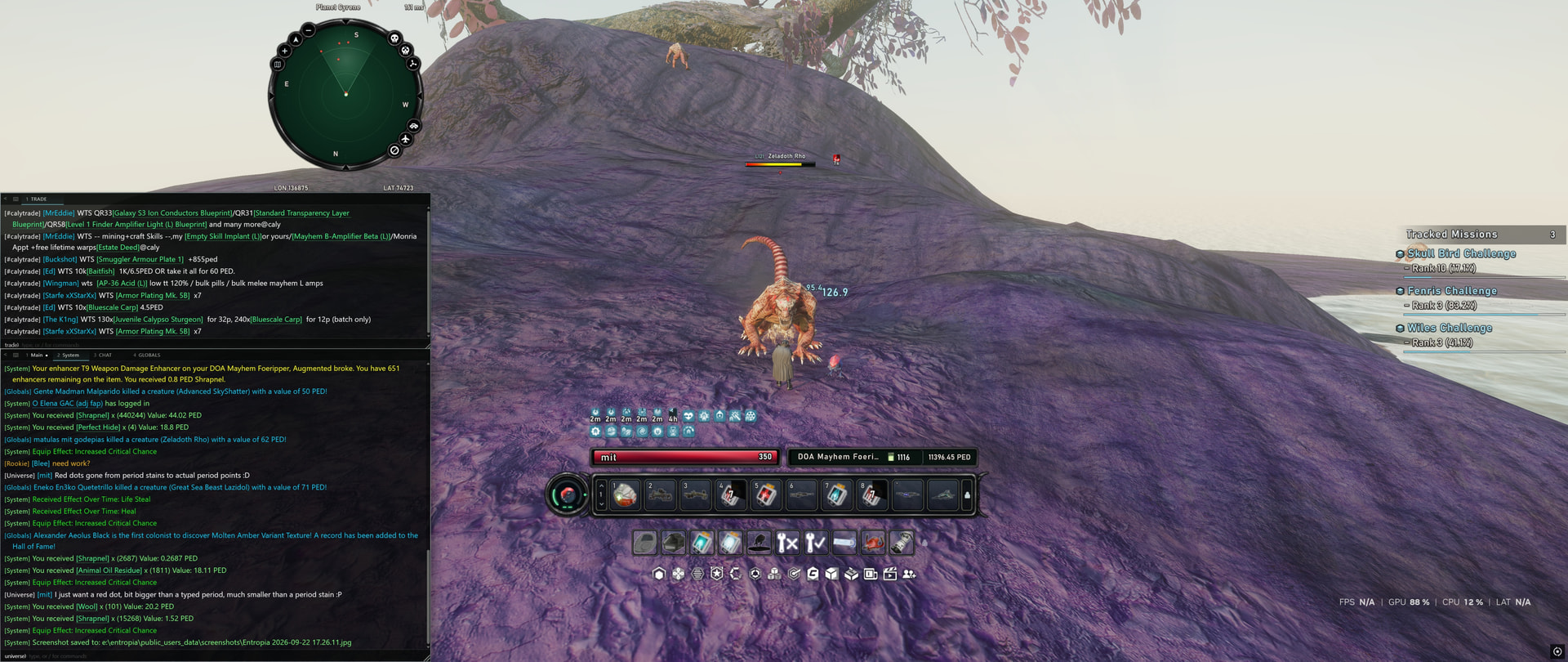
Quick one: Do we have to wait until UE5 for full-on widescreen support at native resolution, regardless of what “crazy” resolution that may be?

Cheers,

mit

OH Shiiit wait, it’s actually working now, all except the buff bar icons, finally native 5120W with text that I can see :smiley: Only took a “few” years :smiley:

5120x2160 starting to look good!

2 Likes

If you have an Nvidia 4060 and GPU acceleration ON performs worse, please follow this guide:

And also make sure that if your PC has more than one graphics processor, to make sure Entropia Universe is utilizing the correct one when playing.

2 Likes

Please follow this guide.

Or check out this thread:

1 Like

Speaking of optimization, please add native FPS lock as most modern mmorpgs/games have. Currently it’s impossible to lock the FPS in the game. 60 fps, 120 fps, (custom fps) whatever.

Also a FPS display ingame would be nice as well! :slight_smile:

3 Likes

I enable the Vertical Synchronization and it (used to ?) lock my fps rate to my screen (60 or 120 HZ).

But maybe you speak about something else?

Fps locks your framerate to whatever you want. Allowing you to not have sync on.

1 Like

Yes, this option needs to be included in addition to V-Sync.

1 Like